Which lead source brought the booking? Decide it at the door
By Jayesh G, Founder · 11 min read. Published 4 November 2026.
In short
- A lead's source is the door it came through first: the portal feed, the ad form, the website form, the site office register. Record it then, never later from memory.
- The first source keeps the booking. When the same buyer enquires again from another source, note it on the same lead; don't overwrite the first.
- Ad platforms count their own credit, with their own windows. Count bookings from your own records, by first source.
On this page
- The source is decided at the door
- Give every source its own door
- The first source keeps the booking
- Repeat enquiries: note them, don’t overwrite
- Google Ads counts its own credit
- Clean last year’s source column
- Which team are you?
- “The agency’s dashboard already shows conversions”
- What I’d check this week
- Where software helps
- Questions teams ask
“That booking came from our Instagram campaign, sir.” Who do you believe? The portal’s rep says the buyer enquired with them first.
Often both saw the buyer. And your own sheet may say “WhatsApp”, or nothing. Renew the wrong source, and you pay for it for a year.
There’s a simple fix, and it starts before the booking. Decide the source at the door the lead came through. Keep the first source on the booking. Note every later one on the same lead.
The simple rule The source is set by the door the lead came through, when it arrives. The first source keeps the booking. Later sources are noted, never overwritten.
The source is decided at the door
A lead’s source is the door it came through first, recorded when it arrives. A source typed in later, from memory, is a guess.
- Lead source
- The door a lead came through first: a portal’s feed, an ad’s form, your website form, a phone number, the site office register or the person who referred them.
Why does it matter so much? Because every renewal decision rests on it. Cost per visit, ROAS and next year’s budget are all counted by source. If a third of the column is blank or guessed, so are they.
Who fills it today? Is it “the salesperson, when they get time”? Then expect five spellings of walk-in and a lot of blanks.
Give every source its own door
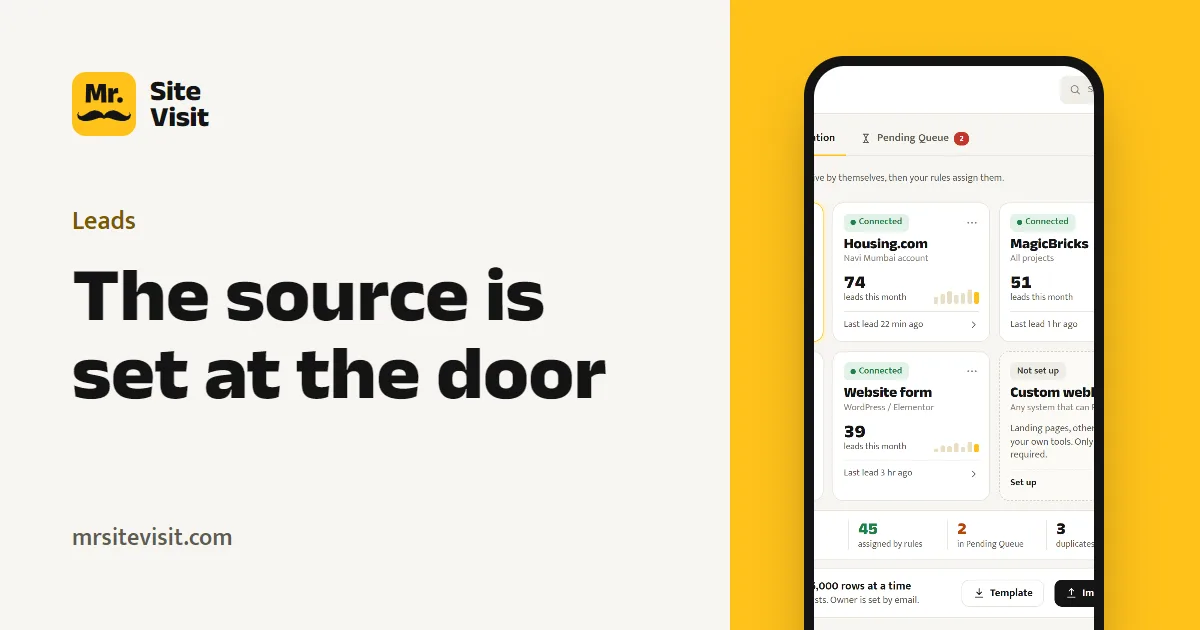
Each source should arrive through its own door. Then nobody has to type the source. Where a person must type it, give them a fixed list.
| Source | Its door | How the source gets recorded |
|---|---|---|
| 99acres, Housing.com, MagicBricks | The portal’s lead feed or lead email | Set from the feed |
| Meta ads | The ad’s lead form | Set from the form connection |
| Google ads | A landing page form with UTM tags (the labels on an ad link that say where it came from) | From the tags, if the form passes them on |
| Your website | Its own form, with UTM tags on every link you share | From the tags, if the form passes them on |
| Walk-ins at the site | The site office register | Typed from a fixed list: “Walk-in” and the project |
| Referrals | The buyer who referred them | Typed, with the referrer’s name |
| Click-to-WhatsApp ads | A separate WhatsApp number for the ads | Typed from the fixed list as “Meta, WhatsApp ad” |
| Hoardings, newspapers, QR codes | A separate phone number or QR link for each | Set by the number or the link |
| Forwarded numbers (WhatsApp groups, friends) | No door of its own: ask on the first call, “Where did you see us?” | Picked from the same fixed list, never left blank |
A separate phone number or form for each campaign helps too. Then the door itself says which campaign brought the lead.
Is your website door easy to find on a phone? We tested 44 property websites on a phone, and few showed a form without a tap.
The first source keeps the booking
When one buyer came through two sources, the first one gets the booking. It found the buyer, and the second one brought them back. Some firms credit the last source instead. My view: use the first source to decide renewals, and the last only to tune the ads that bring people back.
Here’s how one illustrative buyer travels, and where the credit goes:
First source has an honest weakness. It undercounts sources that bring buyers back, like ads shown again to people who visited your page. That’s what the second list is for: bookings where a source came later. Count both lists, but give each booking to one source only.
Same year, same money, two answers. Here’s an illustrative year, counted both ways:
| Source | Spend | Bookings, first source | Cost per booking, first | Bookings, last source | Cost per booking, last |
|---|---|---|---|---|---|
| Meta ads | ₹3,60,000 | 4 | ₹90,000 | 7 | ₹51,429 |
| Portal A | ₹2,40,000 | 4 | ₹60,000 | 1 | ₹2,40,000 |
| Google ads | ₹2,70,000 | 2 | ₹1,35,000 | 2 | ₹1,35,000 |
| Portal B | ₹1,50,000 | 3 | ₹50,000 | 3 | ₹50,000 |
The spend and bookings are invented to show the effect; cost per booking is spend ÷ bookings. Counted by last source, Portal A costs ₹2,40,000 a booking instead of ₹60,000, so you’d cut it.
In this example, the gap suggests Portal A may be finding buyers that Meta later brings back. Only the buyers’ first enquiry dates can show it. If it’s true, cutting Portal A could take some of Meta’s bookings with it.
With only a dozen bookings a year, one buyer swings these figures. Read two years together before you cut a source. Referrals, walk-ins and partners have no ad spend, but they still need a first-source count. Put them in the same table. For partners, the cost is the brokerage you share with them. Name one owner for the column, too: the team leader checks the blanks every Monday.
Our post on ROAS (return on ad spend) uses the same first-source rule.
Repeat enquiries: note them, don’t overwrite
A buyer who enquires again is the same lead, with a new note. Never a new lead, and never a changed source. Match on the last ten digits of the number, so +91, 0 and spaces don’t hide a repeat.
| If… | Then… |
|---|---|
| The same number enquires from another portal | Keep the first source; add a note with the new source and date |
| A lead you marked lost enquires again | Bring it back to the team; keep the first source; note the new one |
| Two salespeople each claim they found the buyer | The record decides: the source and owner on the first entry |
| The buyer uses a new number | Merge it into the old lead by hand once you know, and keep the older source |
| A partner’s registered buyer also fills your ad form | The partner’s registration date decides; see settling CP tagging disputes |
Why not just add a second lead? Because then the buyer counts twice. Two leads, two sources, and often two salespeople calling.
Google Ads counts its own credit
Your ad agency’s dashboard counts results its own way. It won’t match your records, and it isn’t meant to. Attribution is the word for this: who gets the credit.
As checked on 3 November 2026, Google Ads splits credit across clicks with a data-driven model by default, using its own formula, which you can’t see. Google Ads no longer offers first-click credit.
It also counts results only inside a window after the click: 30 days by default, up to 90 for some types. A buyer who books after four months isn’t counted there, and only bookings you feed back to Google are counted at all. Other platforms have their own settings.
| Google Ads’ count | Your own count | |
|---|---|---|
| Who gets credit | Its own ads, by its own model | The first source, once |
| How long it waits | Its window, often 30 days | Until the booking, however long |
| One buyer, two platforms | Both can claim them | One booking, one source |
| Use it for | Choosing ads inside that platform | Deciding where the money goes |
So keep the platform’s numbers for tuning ads. Decide spend from your own count. And ask the agency for a lead list with phone numbers, to match against your bookings.
Clean last year’s source column
Before you plan next year, fix last year’s bookings first. It takes an afternoon:
- List last year’s bookings From the booking forms, not from memory.
- Find each buyer’s first enquiry Search the number in your sheet, WhatsApp groups and portal emails.
- Take the earliest source That’s the booking’s source. Note any later ones beside it.
- Ask about the blanks The salesperson first, then the buyer, on a courtesy call.
- Mark the rest unknown Don’t guess. Count how many are unknown, and aim to halve it next year.
Then see our post on bad leads or bad selling. It sets sources beside calling speed.
Which team are you?
The rule is the same for every team. What changes is which doors matter most:
| Your team | The doors that matter most | Watch for |
|---|---|---|
| A 3 to 6 person CP firm (channel partner firm) | One or two portals, referrals | The owner’s own contacts left blank |
| A 7 to 20 person CP firm | Portals, Meta, Google, walk-ins | Two salespeople claiming one buyer |
| A mandate company (a firm a developer hires to sell a whole project) | Your ads and each partner’s registrations | A partner’s buyer who also came through your ad |
| A developer’s sales team | Ads, portals, partners, the site office | Walk-ins who saw an ad first |
“The agency’s dashboard already shows conversions”
It shows the agency’s view, inside its own window. By default it can’t see your portals, walk-ins or referrals. And unless your bookings are fed back to it, it counts leads or form fills, not bookings that held. That’s useful for tuning its ads. It can’t tell you whether to move money from a portal to Meta.
Only your own records count every source, once, all the way to the booking. My honest view: give the agency your count each month. Ask it to explain the gap. If an agency won’t match phone numbers, ask why.
Who shouldn’t bother with all of this? A firm with one source and referrals. Write down the source on every new lead, and you’re done.
Not ready for software? Run it in your sheet for a month first: a source column nobody may leave blank, a fixed list, and a later-sources column. Copy these columns:
| Lead date | Phone (last ten digits) | First source | Later sources, with dates | Booked? |
|---|---|---|---|---|
| 3 Mar | 98XXXXXX21 | Portal A | Meta ads, 12 Apr | Yes, 20 May |
To count, filter Booked? to Yes, then count the rows by First source. Put each source’s spend in a small table beside it.
What I’d check this week
Start with last month’s sheet:
- Blanks: count last month’s leads with no source.
- Spellings: list every way “walk-in” is written in your sheet, and pick one.
- Doors: give each portal, campaign and form its own door.
- Repeats: check whether a repeat enquiry creates a second row in your sheet.
- Agency: ask for the lead list with phone numbers, and match it to your bookings.
Where software helps
The hard part is doing this for every lead, every day. By the third Saturday rush, a typed source field gets skipped.
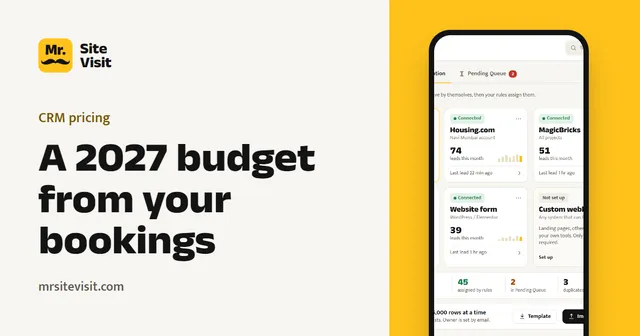
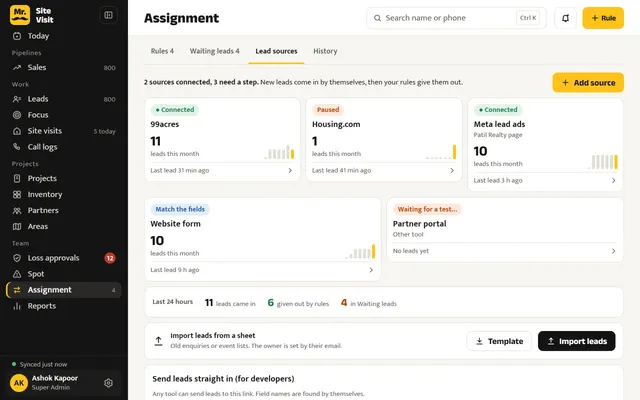
In Mr. Site Visit, leads from 99acres, Housing.com, MagicBricks, Meta and your website arrive with their source already set. Your team picks other sources from your own list, so walk-in is spelled one way. Keep that list short. If your team picks the wrong item, the app records the wrong source. Leads that arrive on WhatsApp are added by your team, with the source picked from that list.
If the same number enquires again in the same pipeline (one list of stages, often one per project), the app doesn’t create a second lead. It keeps the first source and adds a note with the new one. A buyer who enquires about a project in another pipeline becomes a second lead there.
Was the lead marked lost? It goes back to the first stage, with a note saying which source it came from.
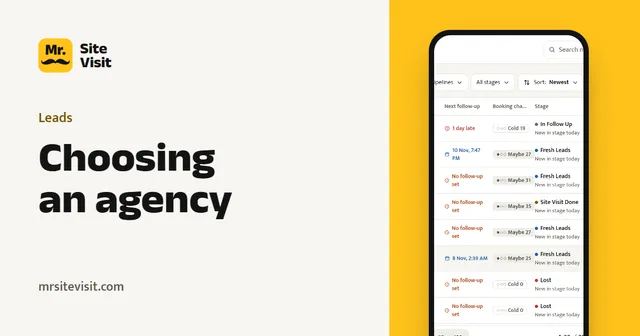
The app doesn’t give you a bookings-by-source report. You filter or export your leads by source, and count the bookings yourself.
Starter is ₹423 a user a month, billed yearly, from three users. See the plans and prices, or how it works for channel partner firms.
Let’s start this week with the blanks in last month’s source column. Then give each source its own door, and Monday’s review has one less argument.
Questions teams ask
How do I know which lead source brought a booking?
Record the source when the lead arrives, from the door it came through: the portal feed, the ad form, the website form or the site register. Keep that first source on the lead all the way to the booking. If the buyer enquires again from another source, note it on the same lead instead of changing the first.
Should the first source or the last source get credit for a booking?
For deciding what to renew, give the booking to the first source: it found the buyer. Keep later sources as notes, and count them as a second list. That shows which sources bring buyers back, without counting one booking twice.
Why does my ad agency show more bookings than my own records?
Ad platforms count conversions their own way, inside their own time windows, and each platform can claim the same buyer. Your records count each booking once. Use your own count to decide spend, and ask the agency for a lead list with phone numbers to match.
What should I do with leads that have no source?
Stop new ones first: one door per source, and a source no one may leave blank. For old rows, check the first enquiry date and ask the salesperson or the buyer. If nobody knows, mark it unknown rather than guessing.
Sources
- Google Ads Help, About attribution models (checked 3 November 2026): attribution models choose how much credit each ad interaction gets; last click and data-driven are available; data-driven is the default for most conversion actions; first click, linear, time decay and position-based are no longer supported
- Google Ads Help, About conversion windows (checked 3 November 2026): the default click-through window is 30 days, settable from 1 to 90 days; conversions after the window aren't recorded