99acres vs Housing.com leads: judge them on your own numbers
By Jayesh G, Founder · 9 min read. Facts checked against each company’s own site on 29 October 2026. Spot an error? Tell us and we’ll correct it.
In short
- Neither portal is better for every team. Judge each on the site visits its leads gave you, not on the number of leads.
- Cost per site visit = what you paid the portal ÷ site visits done from its leads. Compare it over the same months, for the same project.
- Before you renew, check one more thing: how fast each portal’s leads were called. A slow team makes any portal look bad.
On this page
- Cost per lead hides the real price
- The three numbers to pull for each portal
- A worked example: the cheaper lead lost
- Check the calling before you blame a portal
- Make the comparison fair
- Questions to ask before you renew
- Which team are you?
- Is the portal the problem, or the follow-up?
- What I’d check this week
- Where software helps
- Questions teams ask
Which portal brought your last site visit? Not the one with the most leads. The one whose buyer actually came to site.
That’s the question to ask before you renew. Owners often compare portals on cost per lead, because it’s the easiest number to work out from an invoice. But a lead isn’t a visit, and a visit is what fills your bookings.
So compare them on what happened after the enquiry. The better portal for you is the one with the lower cost per site visit, measured on your own leads. You’ll need three numbers per portal. A sheet and an hour will do. I’ll show you how, with a worked example and the mistakes that make a fair portal look bad.
The simple rule Judge a portal on cost per site visit, over the same three months, after checking how fast its leads were called.
Cost per lead hides the real price
A cheap lead that never picks up costs more than a costly lead that visits. That’s why cost per lead misleads.
You pay the portal invoice whether or not a single buyer comes to site. That’s reason enough to know what it buys.
Follow one lead down the steps your team already works:
Each step loses people. Which portal’s leads reach the visit most often? That’s what your sheet will show.
No visit register yet? Start a one-column one today. For the last quarter, piece the visits together from call notes and WhatsApp chats. For old rows with no source, check the portal’s email or app message and fill the column in once by hand.
The three numbers to pull for each portal
Pull these for each portal, for the same three months:
- Cost per site visit
- What you paid the portal for a period, divided by the site visits done from the leads it sent in that period.
You need just three figures per portal. Your invoices give you what you paid. Your lead sheet or CRM (the software your team logs leads, calls and visits in) gives you the leads by source. Your visit register gives you the visits done.
Count visits done, not visits fixed. A missed visit tells you about the follow-up. It says little about the portal.
If you also have bookings by source, add them. But for a team of 5 or 10, one or two bookings a month is too few to compare. Visits give you enough numbers to see a pattern.
A worked example: the cheaper lead lost
Here’s an illustrative month for a firm that pays two portals. I’ve called them Portal A and Portal B. The figures are an example, not either portal’s real numbers:
| Step | Portal A | Portal B |
|---|---|---|
| Paid this month | ₹60,000 | ₹40,000 |
| Leads | 200 | 100 |
| Cost per lead | ₹300 | ₹400 |
| Calls over 2 minutes | 70 | 50 |
| Visits done | 10 | 9 |
| Cost per site visit | ₹6,000 | ₹4,444 |
On cost per lead, Portal A wins. On cost per visit, Portal B wins by a wide margin. Which one would you renew?
Two rules keep the sheet honest. If you pay for a package by the year, divide the fee by its months. And count each visit in the month its lead came in, even if the visit happened later.
One month can mislead you, though. A launch or a weak project can swing it, and a gap of one or two visits means nothing. So run the same sheet for three months before you decide.
My honest view: I wouldn’t renew any portal on cost per lead alone. I’d renew the one with the lower cost per visit. The one con: cost per visit ignores the size of the deal. If one portal’s visits are all for small units, weigh your brokerage (the commission the developer pays you) on those bookings too.
Check the calling before you blame a portal
A portal’s leads can look weak only because your team called them late. Check your own speed first.
A buyer often enquires on several listings at once. The team that calls first usually gets the conversation. Harvard researchers studied 1.25 million leads at 42 US companies. As SmartCompany reported in 2011, leads contacted within an hour were nearly seven times as likely to qualify as those contacted an hour later. Qualify means a proper talk with the person who decides. It’s old, it’s from the US, and it isn’t real estate. Treat it as a direction, not a promise.
Does a portal’s lead email land in a mailbox nobody opens on weekends? Is Monday’s list full of Saturday and Sunday leads still uncalled? Do one portal’s leads all go to your slowest salesperson? Then you’re measuring your routing, not the portal.
Add one column to the sheet: minutes from enquiry to first call. Then sort each portal’s minutes and take the one in the middle (the median), so one very late call doesn’t change the answer. For 5, 8, 12, 15 and 300 minutes, the middle one is 12. If one portal’s leads wait much longer, fix that for a month, then compare again.
Make the comparison fair
Two portals rarely get the same project, the same month and the same callers. These rules close most of the gap:
| If… | Then… |
|---|---|
| One portal runs your premium project and the other your budget one | Compare project by project, not in total |
| The same phone number came from both portals | Match by number, credit the portal that sent it first, and keep the rule fixed |
| A number is wrong or never reachable | Log it, and ask the portal in writing what its policy is |
| A buyer walks in and says “I saw you online” | Ask which site, and write it down that day |
| One portal’s leads went to your slowest caller | Spread them across the team for a month, then compare |
| A package covered a launch or festive month | Compare it with the same kind of month, or leave it out |
How do you know which portal a lead came from? Look at the email or app message each lead arrives in. If it names the listing or project, keep that, plus the portal name, on every row. Without them, there’s no comparison to make.
Questions to ask before you renew
Your renewal call with the portal’s salesperson is the moment to use your numbers. Ask these, and write down the answers:
- Ask what counts as a lead in your package: a form, a call, a number view
- Ask which cities, localities and projects the package covers
- Ask how leads reach you: email, an app, or straight into your CRM
- Ask whether the price changes at renewal, and what a smaller package gets
- Bring your own cost per site visit for their leads, and say it out loud
Why say your number? Because it changes the talk from “more leads” to “more visits”. Your own register gives the call a fact to start from.
We haven’t compared the two portals’ package terms here; they change by city and over time. Ask each portal for its terms in writing, and compare them side by side.
Which team are you?
The method is the same at every size. What changes is how much data you have, and who watches it:
| Your team | What to compare | Watch out for |
|---|---|---|
| 3–5 people, the owner sells | Visits by portal, over three months | Too few visits a month to judge one month |
| 6–10 people | Cost per visit by portal and by salesperson | One person getting all of one portal’s leads |
| 10–20 people, several projects | Cost per visit by portal and project | Comparing a premium project with a budget one |
| A developer’s or mandate team | Cost per visit and per booking, by project | Leads that came through a channel partner, counted twice |
Did a portal give you fewer than about 10 visits in three months? Treat its number as a hint. It isn’t a verdict yet.
Who shouldn’t bother yet? A team on one portal, with no plan to add or drop one. Spend that hour on calling speed instead.
Is the portal the problem, or the follow-up?
Sometimes it is the source. If one portal’s leads keep showing a pattern, such as enquiries from localities you don’t sell in, share your register with its account manager and ask what’s driving it.
But read your sheet as a whole. If both portals have few calls over 2 minutes, the problem is calling. If talks are fine but visits are few, it’s the ask and the follow-up. A 7-point check for leads that don’t become visits helps you find that step.
It’s tempting to cut the portal and move on. Look at the sheet first. A new portal can leak from the same place.
What I’d check this week
You can do these without any software:
- Add a Source column and a Project column to every lead row, if they aren’t there
- Count visits done by portal for the last three months
- Pull what you paid each portal for those months from your invoices
- Work out cost per site visit for each portal, side by side
- Note the median minutes from enquiry to first call, by portal
Where software helps
A sheet works if someone fills in the source on every row. That’s the hard part, and it’s where software helps.
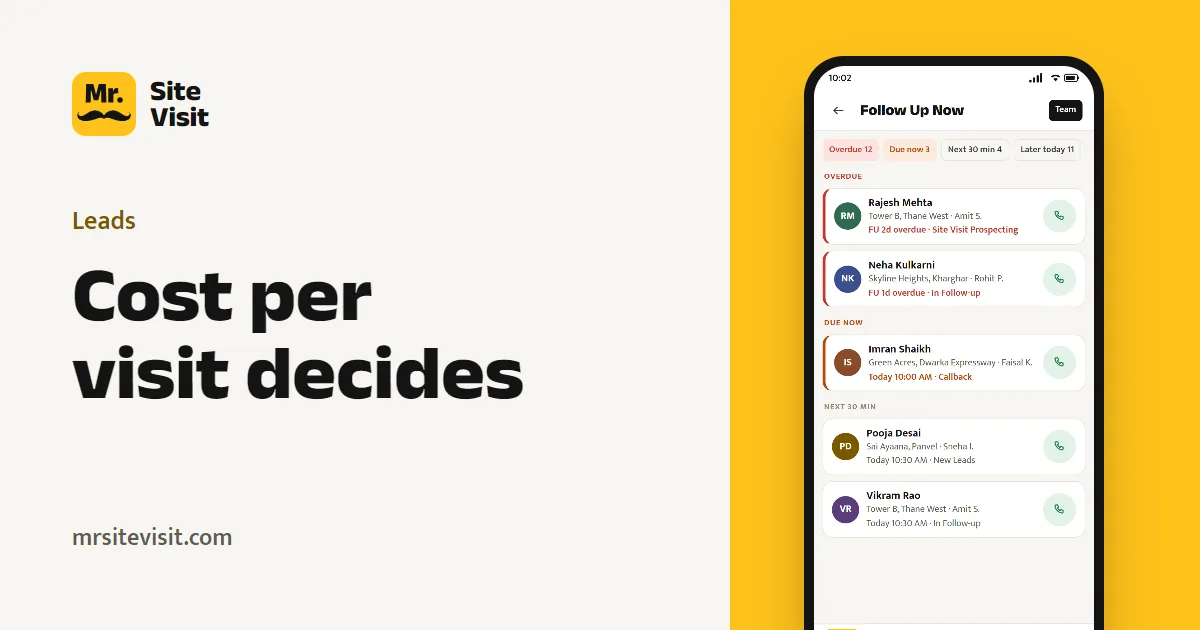
In Mr. Site Visit, leads from 99acres, Housing.com, MagicBricks, Meta and your website arrive with their source, and you can filter by it. If nobody calls a lead in time, it moves to the next person; the default is 2 hours.
On Android, calls are matched from the phone’s call log and marked Verified, with how long each ran. iPhone calls aren’t logged. Portal costs aren’t tracked in the CRM. Take them from your own accounts.
Starter is ₹423 a user a month, billed yearly, from three users, with no GST on top. There’s a 7-day money-back, and no free trial. See the plans and prices, or how it works for channel partner firms and developers.
Whatever you decide, start with last quarter’s visits this week. Sit with your team, count them by portal, and let the register decide the renewal.
Questions teams ask
Which is better for real estate leads, 99acres or Housing.com?
Neither is better for every team. It depends on your city, your projects and how fast your team calls. Compare the two on your own numbers: what you paid, the site visits each one’s leads gave you and the bookings. The portal with the lower cost per site visit, over at least three months, is the better one for you.
How do I calculate cost per site visit for a portal?
Divide what you paid the portal for a period by the site visits done from its leads in that period. Count only visits that happened, not visits fixed. Use the same months and, where you can, the same project for every portal you compare.
Why do some portal leads never pick up the phone?
Often because they were called late, or the buyer enquired on many listings and already spoke to someone else. Check the time from enquiry to first call by portal before you blame the leads. If one portal’s leads are called later, fix that first.
What should I ask the portal before I renew my package?
Ask what counts as a lead in your package, which cities and projects it covers, how leads reach you, and whether the price changes at renewal. Then put your own cost per site visit beside their quote.
Should I use both 99acres and Housing.com?
Some teams do, and that’s fine if you track them apart. Tag every lead with its portal and its project. If one portal costs much more per visit for three months, move that money to the other or try a smaller package.