The easiest real estate CRM for a busy sales team: count the taps
By Jayesh G, Founder · 11 min read. Published 2 November 2026.
In short
- The easiest CRM is the one where the five things your salespeople do most take the fewest taps and the least typing, on the phones they already carry.
- Don't trust the label or the demo. Have three of your salespeople and a team leader or two do those tasks in each CRM, and count taps and seconds.
- For the owner, ease is setup: how soon a real portal lead shows up on a salesperson's phone after you sign up.
On this page
- Easy means fewer taps on the jobs done most often
- Five jobs decide how easy a CRM feels
- Taps add up: times a day × taps
- Run the 30-minute ease test with your own people
- Setup ease: how soon a real lead reaches a phone
- Which team are you?
- “The demo looked easy”
- What I’d check this week
- Where Mr. Site Visit fits, and where it doesn’t
- Questions teams ask
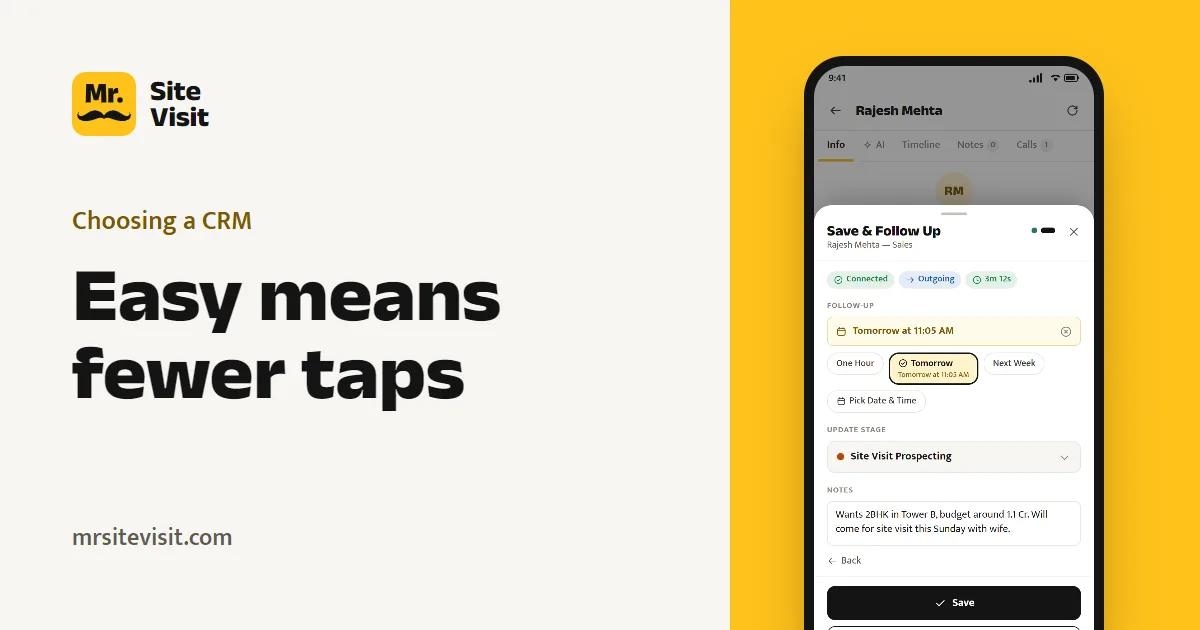
Salespeople say they spend 70% of their time on work that isn’t selling, in Salesforce’s 2024 global survey. Is your software adding to that pile?
Every CRM (the software your team logs leads, calls and site visits in) says it’s easy. Very few tell you how to check. And the demo is run by an expert, on a laptop, with clean data.
Ease is how many taps your salespeople’s most frequent jobs take, on the phones they carry. So count it, with your own people, before you pay.
The simple rule Count the taps for the five tasks your people do most, done by your own people on their own phones. The CRM with the fewest taps on those five is the easy one.
Easy means fewer taps on the jobs done most often
A CRM is easy when the most frequent jobs are short. A rare job can take ten taps. A job done after every call can’t.
Owners usually judge a CRM by its reports, because that’s the screen they’ll use. But your salespeople do the typing, many times a day. Often they do it in a cab between Saturday site visits. If it’s slow for them, they go back to WhatsApp. Then your reports go empty.
Five jobs decide how easy a CRM feels
In my view, five tasks make up most of a salesperson’s day in a CRM. If your team’s are different, swap them in the sheet.
| Task | Times a day, one salesperson (example) | What easy looks like |
|---|---|---|
| See a new lead and call it | 8 | It’s on their phone already; one tap to call |
| Log the call and the next follow-up | 40 | The form opens by itself after the call; no typing needed |
| Find today’s follow-ups | 5 | One list, in time order, from the home screen |
| Book a site visit | 3 | Date, time and project; one tap to share the details with the buyer |
| Record the visit at the site | 1 | Start and end on the phone, notes at the end |
The times a day are an example, not a measurement. Change them to your team’s own day.
Count two owner tasks too. How long does it take to see who called whom yesterday? And to move a lead from one person to another?
Taps add up: times a day × taps
The tap count that matters is taps × times a day. A task done 40 times a day decides how the app feels.
Take logging a call. Say one CRM takes 3 taps and another takes 9. The numbers are an example:
That’s 240 extra taps a day for each salesperson. Over 26 working days, it’s 6,240.
Typing costs more than tapping. In my view, a field typed after every call tends to be skipped by the second week. Our post on why teams stop updating the CRM covers that first month.
Run the 30-minute ease test with your own people
Three salespeople and a team leader or two, on their own phones, will tell you more than any demo. Our estimate: about 30 minutes per tester per CRM. Run testers side by side. Two CRMs then take about an hour.
Small tests work. Jakob Nielsen’s usability finding from 2000 (usability: how easy an app is to use) is that five users find about 85% of the problems. The study was about finding problems in one product. The idea still works here: a few people find most of the problems.
He also says to test 3 or 4 people from each of two groups that use it differently. Salespeople and team leaders do different jobs. One team leader is the minimum. Two or three tell you more.
- Pick two CRMs Three at most. More, and the test takes a whole day.
- Pick the testers Three salespeople, including the one least comfortable with phones, and one or two team leaders.
- Use their own phones Ask each vendor for a trial account or a demo login, set up with your real stages and fields.
- Load test leads Add about ten leads from your own Excel sheet, so nobody tests on an empty screen.
- Swap the order Half the testers start with one CRM, half with the other. Otherwise the second one gains from practice.
- Say the task, don’t show it “Call this lead and set a follow-up for Thursday.” Count the taps, time it, and note every field they had to type.
- Fill in the sheet It multiplies each task’s taps by how often it happens.
- Ask one question “Which one would you open at 9 pm, after a long site visit day?”
Don’t help when they get stuck. Where they get stuck is the finding. Write it in the sheet’s “where they stopped” column, with any typing, and move on. Try one task on a weak network too, like a site basement.
Count the same way every time. A tap is any touch on the screen. Typing a word counts as one tap, with a note that it was typed. One person counts for every CRM.
Then decide. Taps a day come first. Are two CRMs within about 10%? Then the one your least confident tester would open at 9 pm wins. Seconds and the stuck count tell you why. Here’s what a filled sheet can look like, with example numbers:
| Task | Times a day | CRM 1, taps a day | CRM 2, taps a day |
|---|---|---|---|
| See a new lead and call it | 8 | 16 | 24 |
| Log the call and the next follow-up | 40 | 140 | 340 |
| Find today’s follow-ups | 5 | 10 | 20 |
| These three tasks | 166 | 384 |
CRM 2 needs more than twice the taps a day. The call log alone makes the difference. I’d weight that task above everything else.
The sheet compares up to three CRMs, seven tasks and 200 test rows. It marks a CRM’s total as incomplete until every task has been tried in it.
Setup ease: how soon a real lead reaches a phone
For you, the owner, ease is setup. The test that matters: how long from signing up until a real portal lead shows up on a salesperson’s phone?
Ask each vendor to do these with you in the demo, and time them:
| Setup check | What to time or ask |
|---|---|
| Connect one portal or Meta form (the lead form on a Facebook or Instagram ad) | Send a test lead. How long until a salesperson’s phone shows it? |
| Import your Excel sheet | How many rows at once? What happens to repeat numbers? |
| Add a new salesperson | How long until they can call? Do they need a laptop? |
| Set who gets which lead | In turn, by project or by source: can you set it yourself? |
| Phone numbers and exports | Can you hide numbers from juniors, and stop exports? |
| Can a salesperson open the buyer’s WhatsApp chat from the lead in one tap? | |
| Price and leaving | Price per user, minimum users, billing period. Can you export all your data if you leave? |
A vendor who won’t let your people try it before you pay has told you something. Note it on the sheet. Review sites tell you what other users say. Your own test tells you what your team will do.
Then check the phones. In India, Android has about 95% of the mobile market (StatCounter, October 2026). Your team may still have a few iPhones. Ask what works on each, especially call logging.
Which team are you?
Every team runs the same test. What changes is who tests and which tasks matter most:
| Your team | Who tests | The tasks that matter most |
|---|---|---|
| A 3 to 6 person CP firm (channel partner firm), owner still selling | The owner and two salespeople | Logging calls; setup in one evening |
| A 7 to 20 person CP firm with team leaders | Three salespeople and one TL (team leader) | Logging calls; the TL’s morning list |
| A developer’s in-house sales team | Three from sales, three from the CP desk | Visits, partner registrations, inventory |
| A mandate company (a firm a developer hires to sell a whole project) | Sourcing managers and closers, 3 each | Registering partner buyers; visit booking |
Developers and mandate teams have different jobs. Swap two of the five tasks for “register a partner’s buyer” and “check a unit is available”.
Not sure which two CRMs to test? Our fair shortlist of CRMs in India, by kind of firm, is a starting point.
“The demo looked easy”
It usually does. The person running it knows every screen and has clean data. Your salesperson will be on a phone with a buyer waiting, after six site visits.
A demo and your own test answer different questions:
Your 30-minute test
- Your people, on their own phones
- Tasks said, not shown
- Taps and seconds counted
- Shows what they’ll actually do
The vendor’s demo
- An expert, on a laptop
- Clean sample data
- The best screens first
- Shows what the CRM can do
Watch out for the feature count, too. A long feature list feels safer. But the five tasks, done many times a day, decide whether your team uses it. A feature nobody opens doesn’t help, but a slow call log costs you every day.
My honest view: if two CRMs are close on taps, pick the one your least confident tester preferred. If they can use it, the rest probably can.
Who shouldn’t bother with all this? A 3-person team picking between two cheap tools. Just try one for a week with real leads. Our post on free CRM plans has a one-week test.
What I’d check this week
You can do this before your next vendor call:
- Day: write down how often one salesperson does each of the five tasks.
- Testers: pick three salespeople and one or two team leaders for the test.
- Trials: ask two vendors for a trial or demo login you can use on your own phones.
- Setup: ask each vendor to connect one portal or form live in the demo, and time it.
- Phones: count the iPhones in your team, and ask what works on them.
Where Mr. Site Visit fits, and where it doesn’t
We make Mr. Site Visit, so count ours the same way. We’d rather you count than take our word.
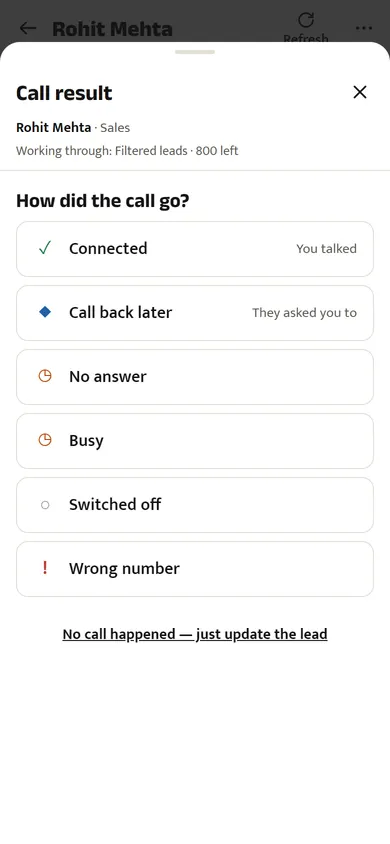
Here’s what we built for the most frequent task. Tapping Call opens the phone’s own dialer. When the salesperson comes back to the app, the after-call form opens by itself. Call, outcome, save is three taps. On Android, the call is matched from the phone’s call log and marked Verified.
New leads from portals, Meta and your website are assigned and pushed to the salesperson’s phone when they arrive. For the other tasks, ask us for a demo and count ours there too.
Where we’re weaker: there’s no iPhone app. On an iPhone, the same account opens in Safari, with alerts, and calls are logged by hand. If your team is mostly on iPhones, we won’t be the easy one for you.
Starter is ₹423 a user a month, billed yearly, from three users. Recording visits with time and GPS starts on Growth, at ₹548 a user a month, billed yearly. See the plans and prices, or how it works for channel partner firms.
This week, pick two CRMs and three of your people, and run the 30-minute test.
Questions teams ask
Which is the easiest real estate CRM for a sales team?
The one your own salespeople use with the fewest taps for the five tasks they do most: calling a new lead, logging the call, finding today’s follow-ups, booking a visit and recording it. Every vendor calls its CRM easy, so test two with three salespeople and a team leader, about 30 minutes per CRM, and count.
How do I test whether my team will actually use a CRM?
Give three salespeople, including the least comfortable with phones, and a team leader or two the same tasks in each CRM, on their own phones. Don’t show them how. Count taps and seconds, and note where they got stuck. Then ask which app they’d open at 9 pm after a site visit.
What makes a CRM hard for salespeople?
Typing after every call, forms with many fields, and anything that needs a laptop. In my view, a field that has to be typed 40 times a day is the one that gets skipped. Count what happens after a call first: that’s the task done most.
How long should CRM setup take for a small real estate team?
Time it in the trial or demo: connect one portal or ad form, send a test lead, and see how long it takes to reach a salesperson’s phone. Ask how many Excel rows import at once, and how long it takes to add a new salesperson.
Sources
- Salesforce, State of Sales statistics (25 July 2024): survey of 5,500 sales professionals in 27 countries; sales reps report spending 70% of their time on non-selling tasks
- Jakob Nielsen, Nielsen Norman Group, Why you only need to test with 5 users (18 March 2000): the first study with five participants finds 85% of the usability problems; the best results come from testing no more than 5 users and running as many small tests as you can afford; test 3 to 4 users from each group when users fall into distinct groups
- StatCounter Global Stats, Mobile operating system market share in India: Android 94.84%, iOS 5.1% (October 2026; checked 2 November 2026)